
Direct connection via USB
Compact power supply
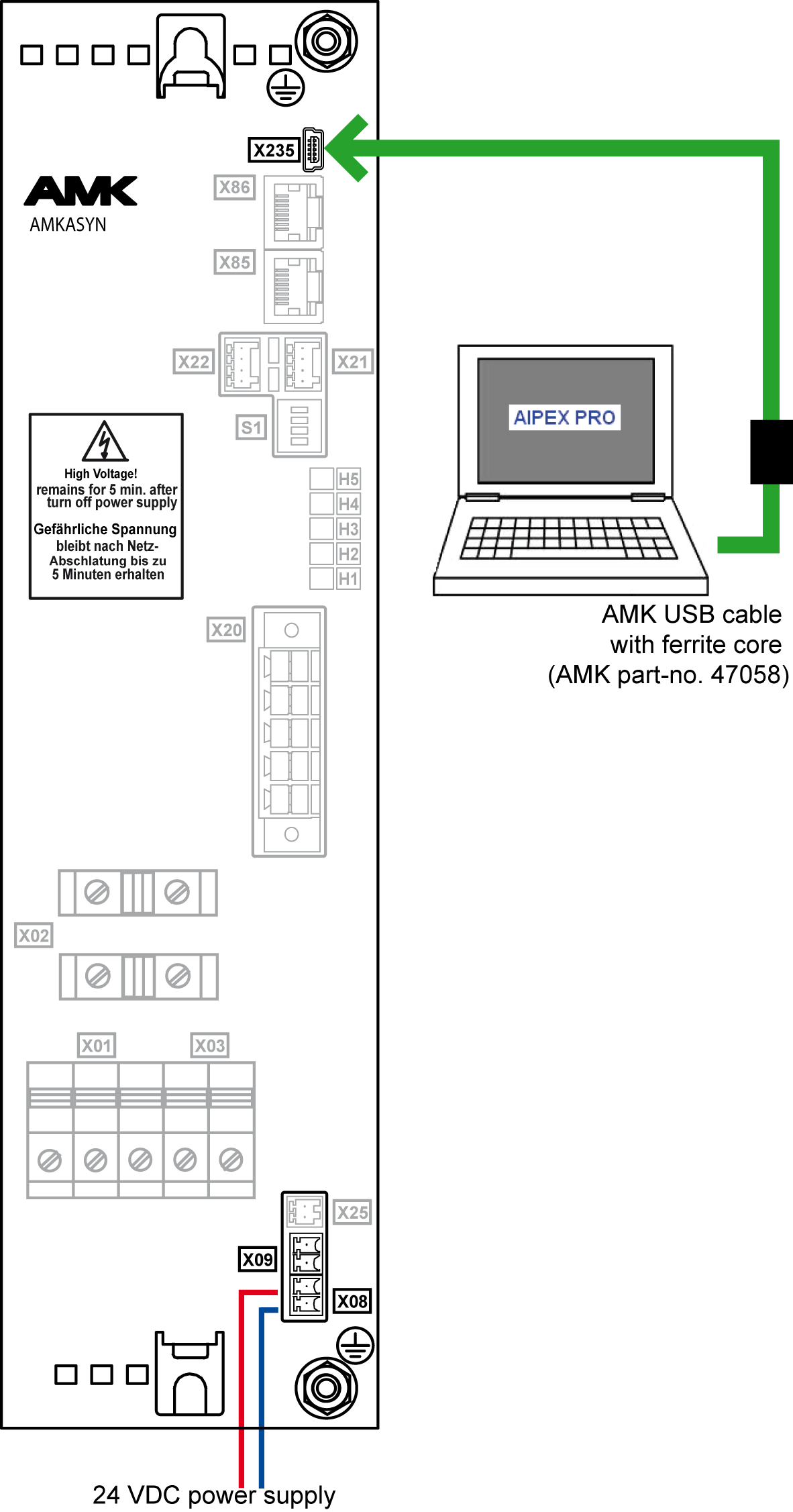
For reading the device data with AIPEX PRO, you will need a 24 VDC power supply at the compact power supply.
Connect the PC with installed AIPEX PRO to the USB interface X235 of the compact power supply. Use an AMK USB cable with ferrite core (Part no. 47058).
Compact inverter
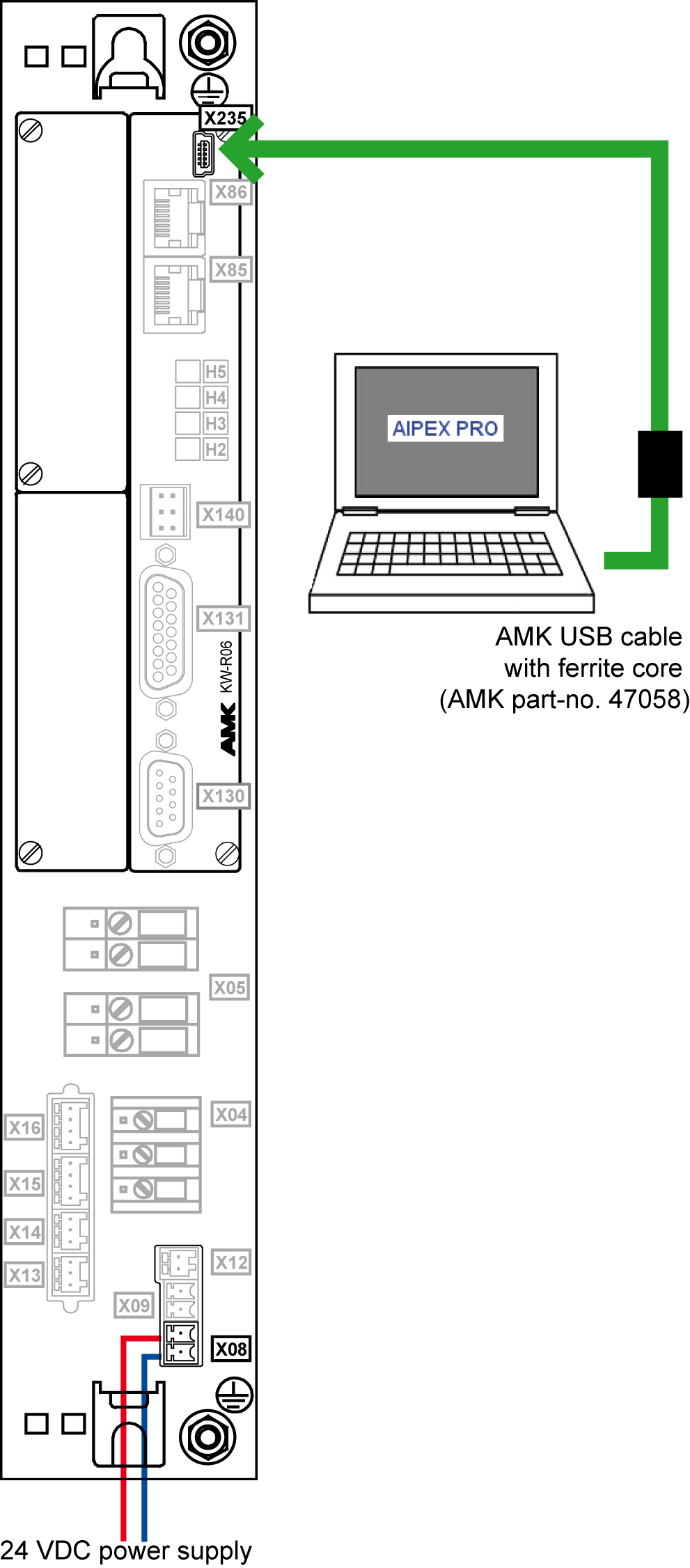
For reading the device data with AIPEX PRO, you will need a 24 VDC power supply at the compact inverter.
Connect the PC with installed AIPEX PRO to the USB interface X235 of the inverter. Use an AMK USB cable with ferrite core (Part no. 47058).
USB communication settings
If you use the USB connection, no communication settings must be done.
