
Direct connection via EtherCAT
For reading the device data with AIPEX PRO, you will need a 24 VDC supply voltage at the AMKASMART (example picture AMKASMART iX).
Connect the PC with installed AIPEX PRO to the Ethernet IN interface X85 of the AMKASMART. Use an Ethernet standard RJ45 twisted pair patch cable.
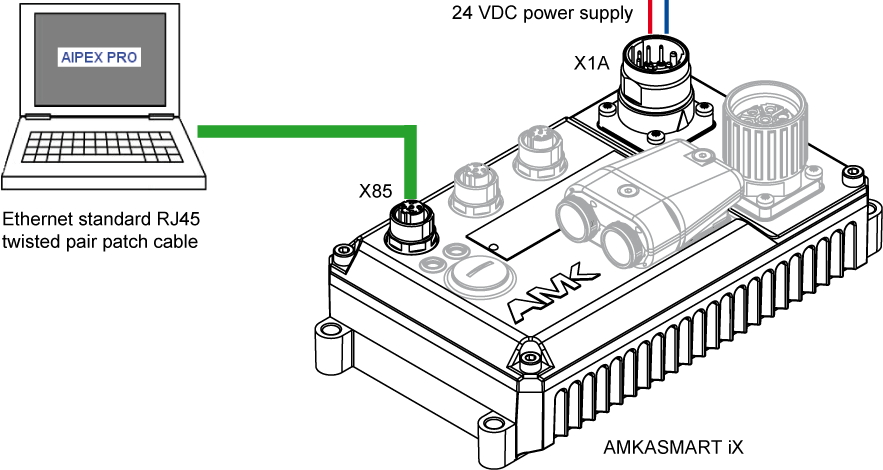
EtherCAT communication settings with AIPEX PRO
EtherCAT master
On a point to point connection via EtherCAT, the PC works as EtherCAT master.
The Ethernet network settings of the PC are not to be changed.
EtherCAT slave
The connected drive is an EtherCAT slave.
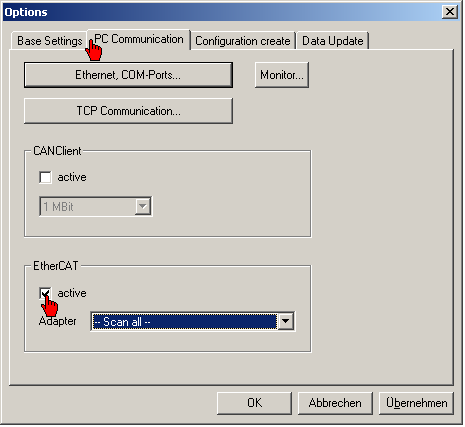
Activate with AIPEX PRO the EtherCAT interface.
Start AIPEX PRO
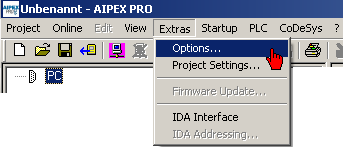
Start menu 'Extras' → 'Options'
In register 'PC Communication', the EtherCAT communication can be activated and de-activated.
You can shorten the initialising phase by selecting the used Ethernet adapter of your interface.
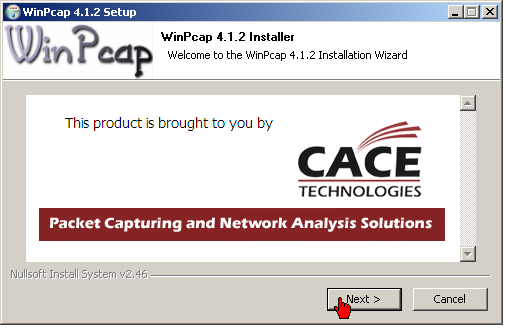
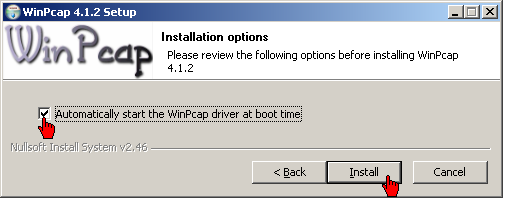
Prerequisite WinPcap:
WinPcap will be automatically installed with AIPEX PRO
|
|
When installing WinPcap, the option 'Automatically start the WinPcap driver at boot time' must be activated mandatorily. |

Modified communication setting require AIPEX PRO to be restarted.
