
COM interface
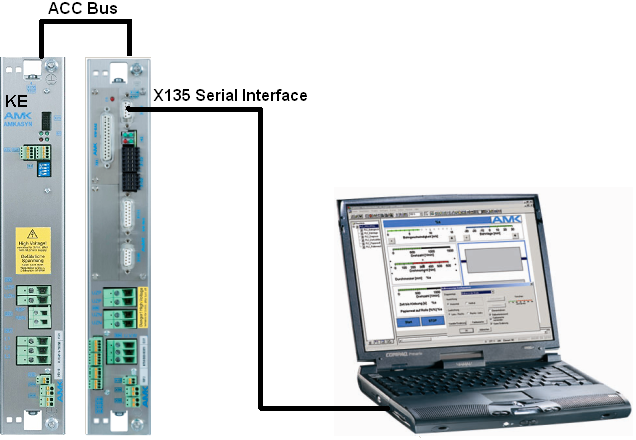
Example:
KE with ACC bus and KW with KW-R03 (comparable with KU-/KW-R03(P) and KU-/ KW-R04).
It is possible to get access over ACC bus to other devices. In this case the connected controller card must be defined as ACC bus master.
Cable:
- Serial interface cable AMK part-no. O576
- AMK USB-RS232 converter AMK part-no. 200770
COM adjustments
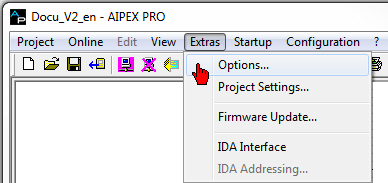
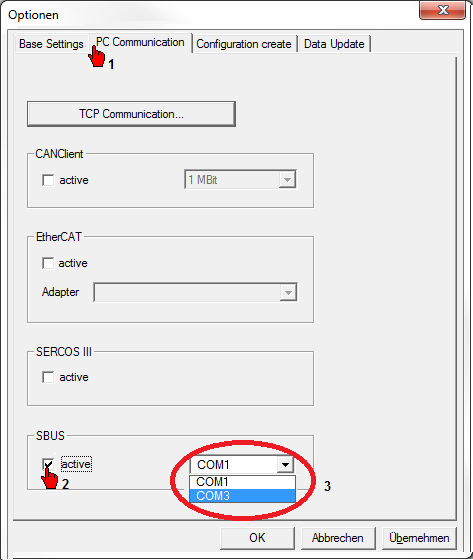
Set the desired port.
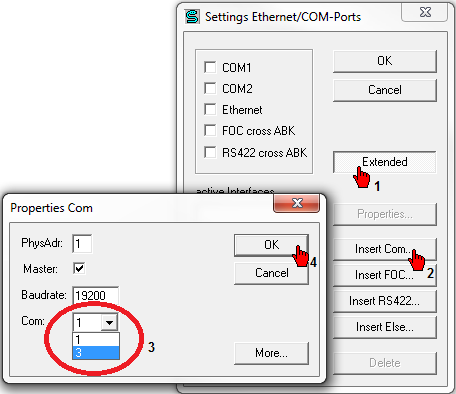
If you need a other port than COM1 or COM2, you can set this in 'SbusRegister' ('Start' -> 'All Programs' --> 'AMK' --> 'SbusRegister') click the button 'Extended' and than 'Insert Com…'.
|
|
The predetermined properties may only be changed in connection with the AZ option card CNC or during a modem connection |

|
|
To test the communication, connect a device with the PC and restart AIPEX PRO again. The change of the colour of the symbol from red to green at the bottom right edge indicates that the communication is functioning properly. A green/red symbol indicates that there is more than one active interface. |
Serial AMK cable RS232 (PC-AMK)
The AMK serial interface cable RS232 (AMK part-no. O576) connects the serial interface of the AMK KU-/ KW devices with the serial interface of the PC.
Property of serial interface cable:
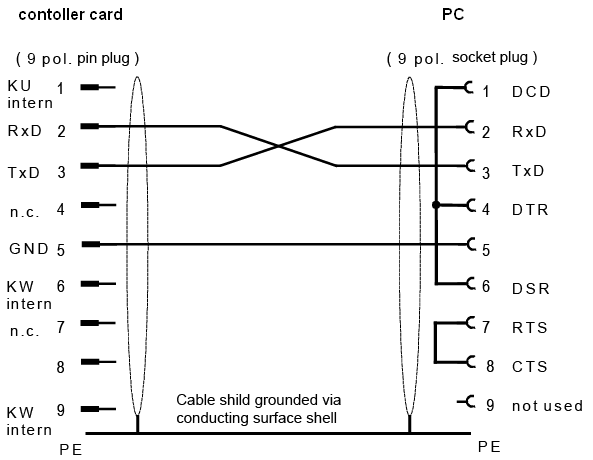
Picture name: AIPEX_Verbindungskabel
USB-RS232 Interface
The AMK USB-RS232 converter (AMK part-no. 200770) connects the serial interface of the AMK KU-/ KW devices with the USB interface of the PC.
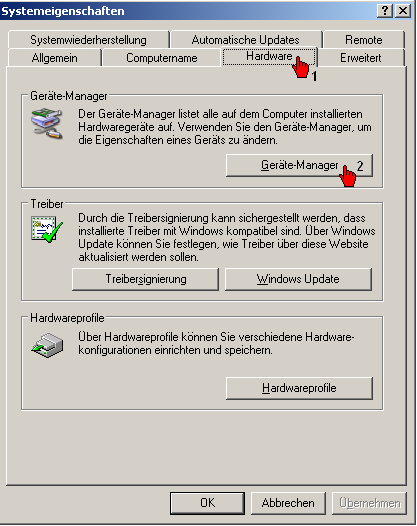
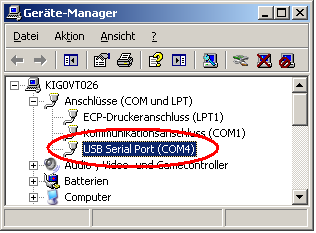
Example Windows XP
During the driver installation of a AMK USB-RS232 converter, an additional virtual COM interface is generated by the PC. The interface number can be read out. Open 'Windows' -> 'System Properties' -> 'Hardware' -> 'Device Manager' -> 'Ports (COM and LPT)'.
Example Windows 7
Invoke the Windows menu 'System control' -> 'Hardware and Sound'.
Invoke the 'Device-manager'.
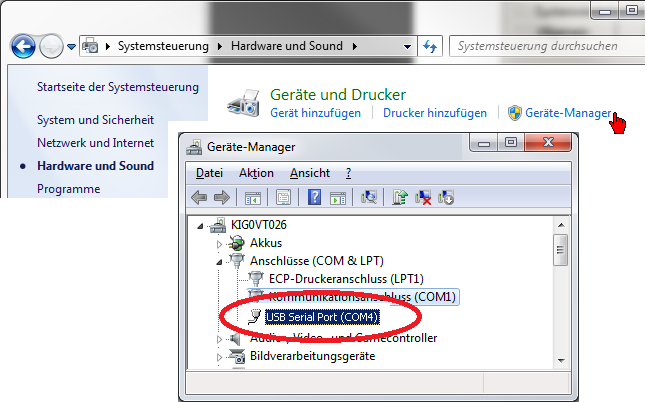
Enter the USB Serial Port interface number (in this example COM3) in the 'SbusRegister' ('Start' -> 'All Programs' --> 'AMK' --> 'SbusRegister'). Use for that the button 'Extended' and the button 'Insert COM'.
