Configuration - Manual
Properties - device
Properties devices
| AIPEX PRO |
Meaning |
Example |
|---|---|---|
|
Device |
AMK device description |
KW Compact inverter module |
|
Software version |
Installed software version |
KW 111 1320 204533 |
|
Type |
AMK type and nameplate ratings |
KW 2 |
|
Ser. No. |
Serial number |
123456 |
|
Part number |
Part number |
46304 |
|
Station name |
The station name can be changed by the user |
Antrieb_R06 |
|
Data set name |
Data set name of the actual opened AIPEX PRO project. |
Demo |
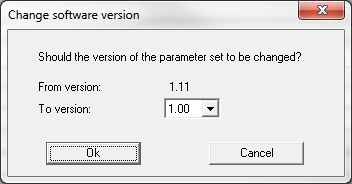
Button 'Software version'
If you generate an offline project you can adjust the software version. Example: A project is generated offline and following the project will be transferred to an existing application with defined software version.
Fieldbus properties
| AIPEX PRO |
Meaning |
Example |
|---|---|---|
|
Connection |
Interface on the device |
X85-X86 |
|
Bus name |
AMK bus description |
EtherCAT |
|
Bus physic |
General bus description |
ETHERCAT |
|
Instance |
Each bus will be parameterised in a own instance. |
1 |
| IP Address *1 |
Controller network adjustments |
192.168.0.1 |
| Network mask *1 |
255.255.255.0 |
|
| Gateway Address *1 | 0.0.0.0 | |
|
Address *12 |
Device address |
1 |
|
Fix Addressing *1 |
Automatic assigned address by bus master or fix address |
|
|
Optional *1 |
During the initialization of the bus system the device must not be present. Requirement: 'Fix Addressing' is active |
|
|
Master *1 |
Declaration bus master or bus salve | |
|
Node Config file*1 |
Device description file (*.eds oder *.xml) |
|
|
Slave fix addressing *1 |
All slaves inside the bus system will be set to 'Fix Addressing' |
*1 Bus or device specific
|
|
*2 Differences offline / online project at EtherCAT
Offline project
Online project AIPEX PRO reads the actual (fix) address from the device. The address will be displayed. After changing the address or check box 'Fix address' the device must be restart.
|

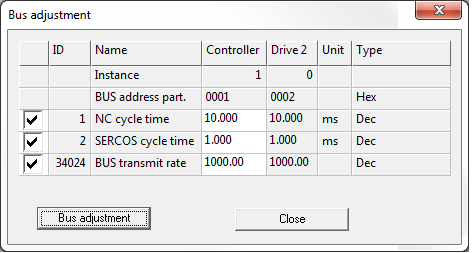
Bus 'Bus adjustment...'
The selected parameters will be set to the same value.
Interface
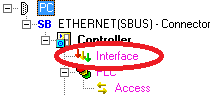
The 'Interface' is the interface between physical device and symbolic device name (variable) from PLC editor.
The allocation can be automatically (Siehe 'Automatic bus configuration'.) or manual per drag and drop.
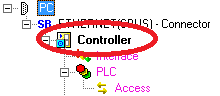
PLC
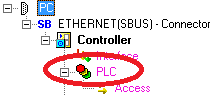
Click on 'PLC' to admin the plc project.
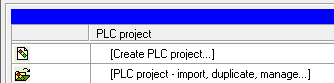
Create PLC project
The plc editor will be started and a new plc program will be opened.
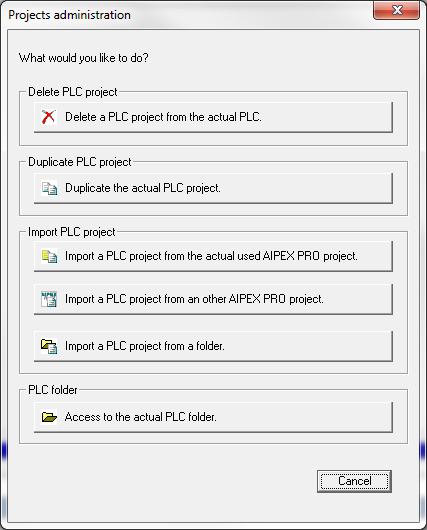
PLC project - import, duplicate, manage ...
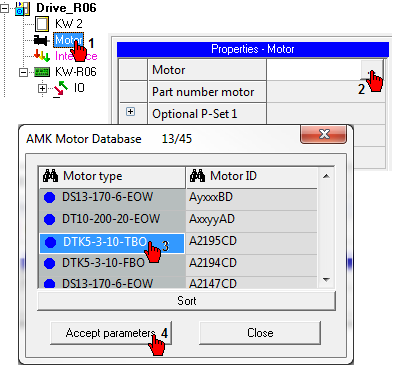
Motor
Manual selection of motor parameters.