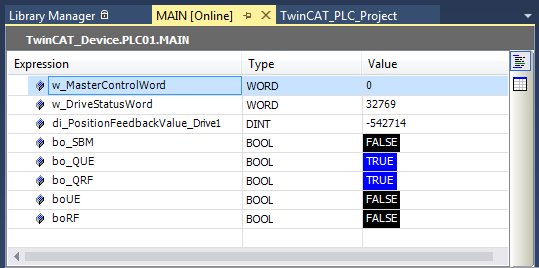
TwinCAT 3 project with CODESYS PLC
The example describes how to generate a PLC project (without TwinCAT NC axis / CNC axis).
In the PLC example project, the PLC controls and evaluates 'Master Control Word' and 'Drive Status Word'.
Start TwinCAT XAE (VS 2013)

Create a new project
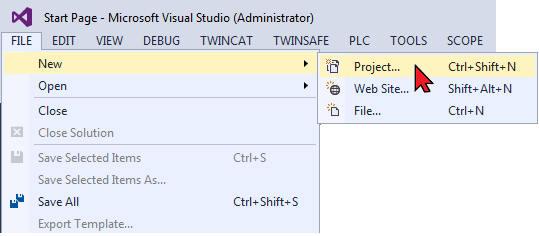
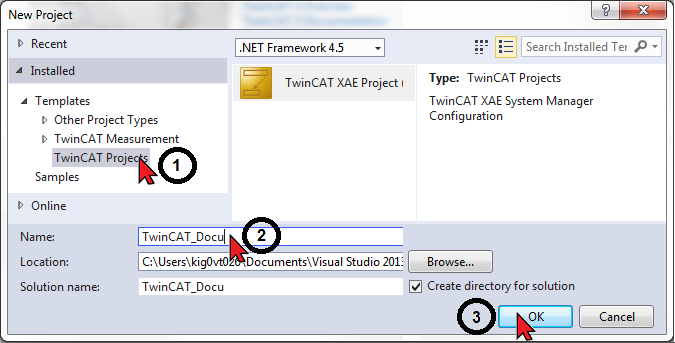
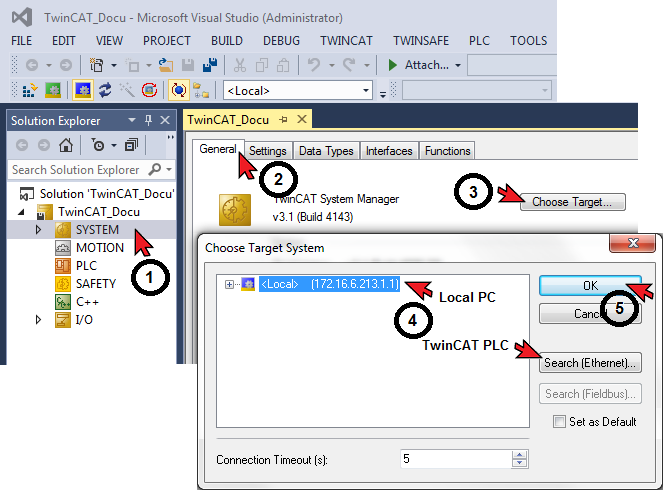
Select the target system:
- Local (own PC)
- TwinCAT PLC
Add the EtherCAT Master functionality to the ‘Device’ icon
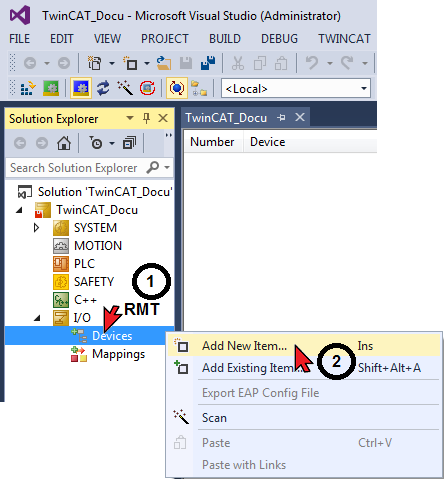
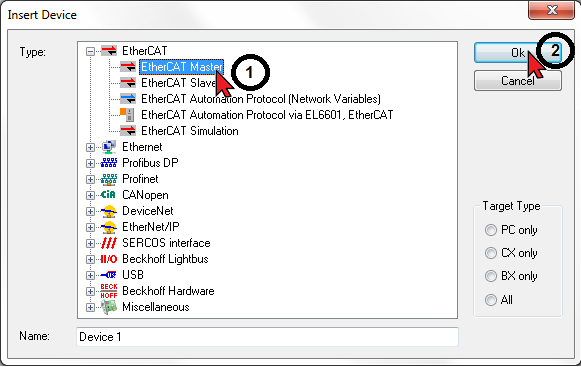
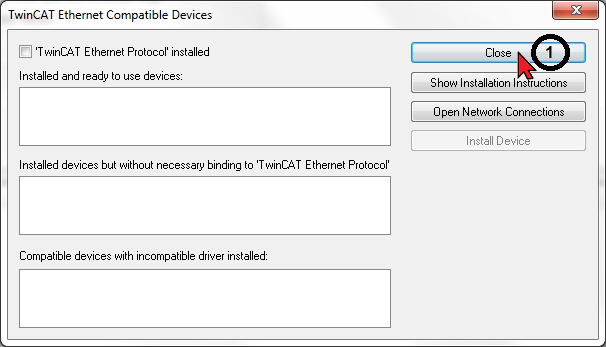
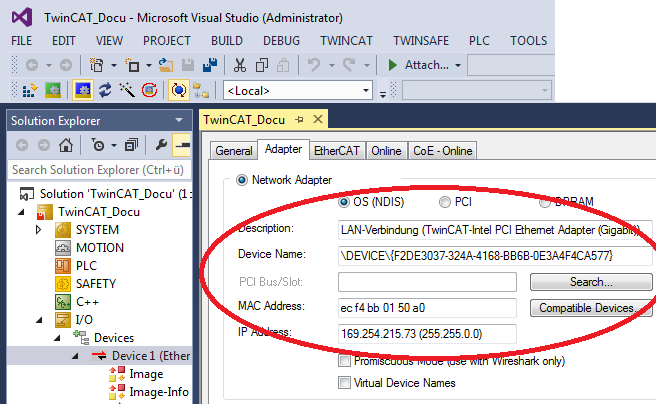
Activate existing network adapter
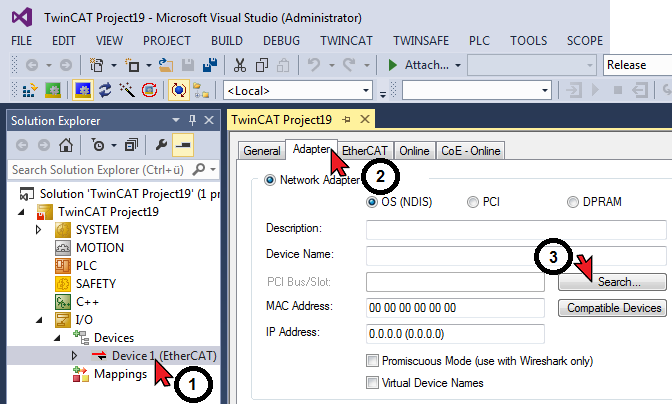
Driver installed
Activate the adapter
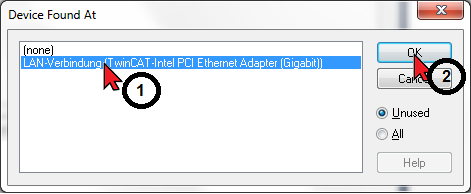
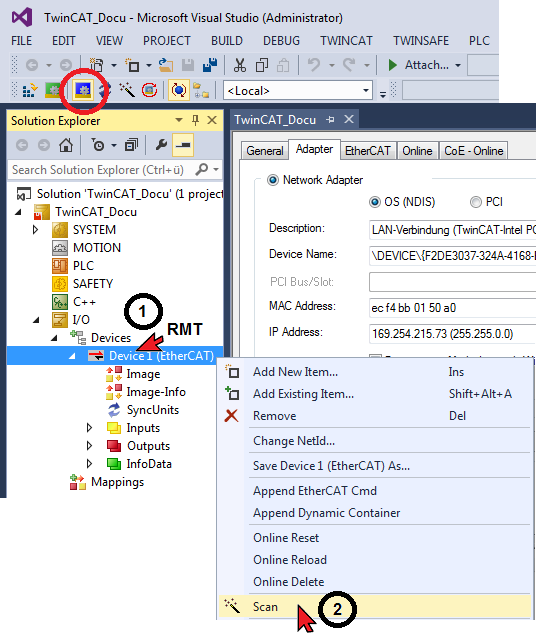
Scanning a network
|
|
Scanning is only possible with an activated network adapter. |

|
|
Scanning is only possible in TwinCAT ‘Config Mode’. |
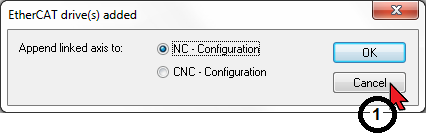
Creating a PLC project
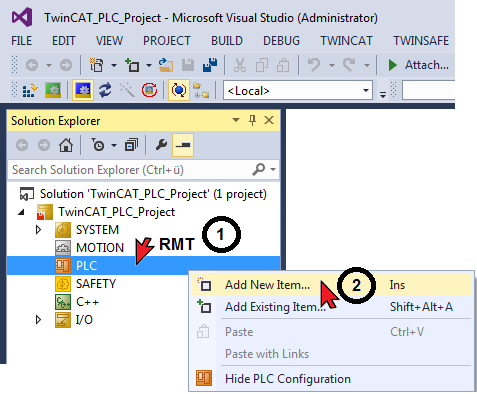
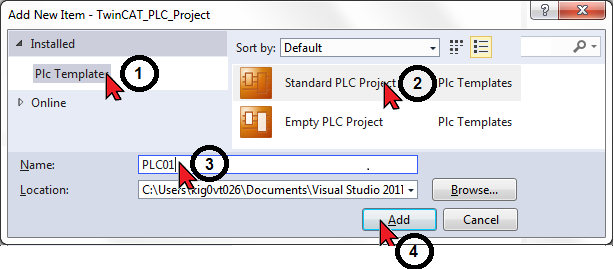
|
|
The standard value of the TwinCAT PLC task is 10 ms. The cycle time is entered via the ‘PlcTask’ icon. |
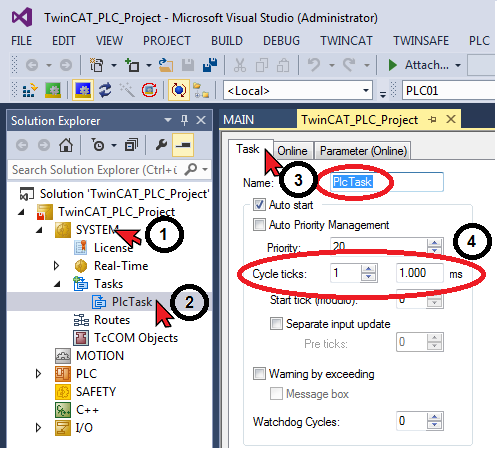
|
|
When the TwinCAT ‘Activate Configuration’ function is executed, the set PLC task value (cycle time) is automatically transferred to the AMK drive (ID1 'NC cycle time' and 'SERCOS cycle time')
The cycle times become active with the next initialization in the AMK drive. (System reset command, or 24 VDC OFF/ON)
For differing values, TwinCAT generates the status code ‘0x0037 - invalid SYNC1 cycle time’. |
Opening PLC MAIN program module
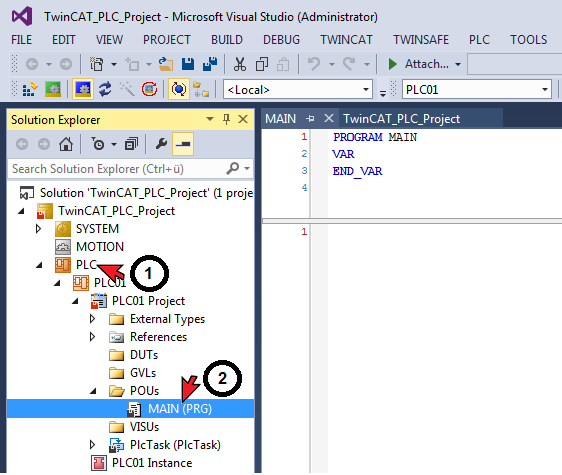
PLC variables
|
Variables declaration |
Direction |
|
|---|---|---|
|
‘Variable name’ AT %I* : ’Declaration’ |
Input variable |
Axis → PLC |
|
‘Variable name’ AT %Q* : ’Declaration’ |
Output variable |
PLC → axis |

PLC project ‘Transfer’
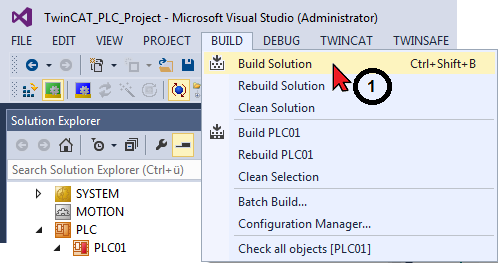
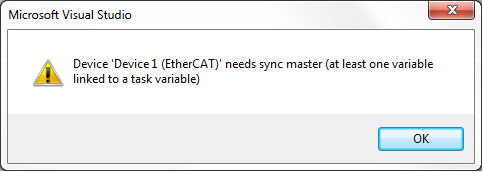
Connection between EtherCAT slave device and a task variable is missing, so that the cycle time cannot be determined.
Bus start-up remains stuck in PREOP bus state.
Options for a solution can be, e.g. to connect the Status Word drive in the AT with a PLC variable or using the NC/CNC axis.
Linking variables
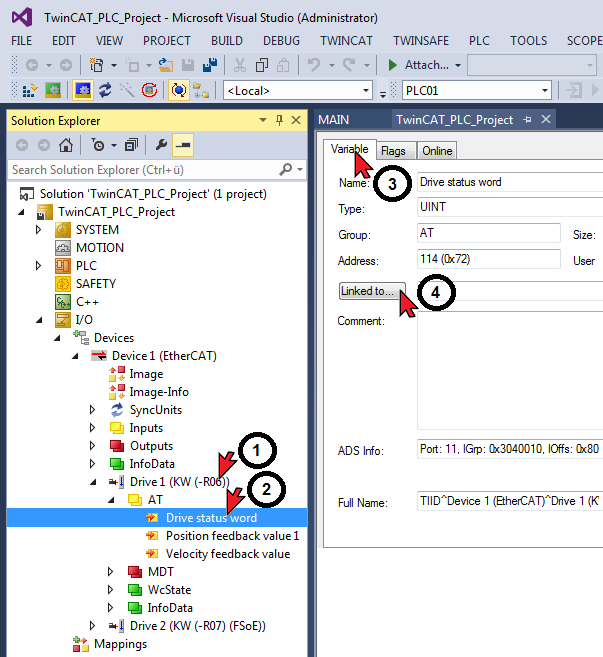
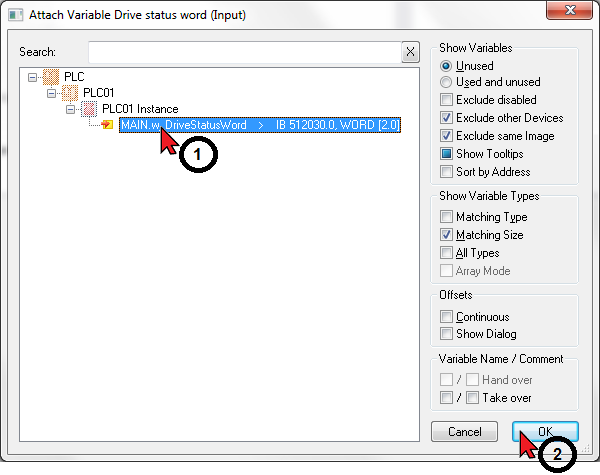
Creating a network configuration
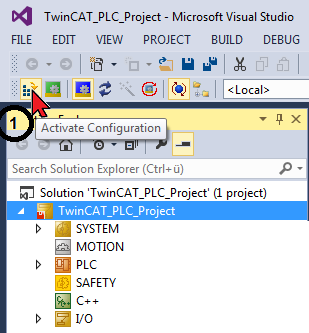
Start TwinCAT 'Run Mode'
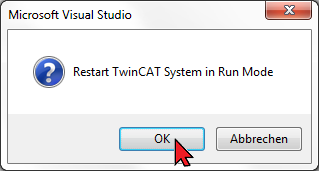
|
|
When the TwinCAT ‘Activate Configuration’ function is executed, the set PLC task value (cycle time) is automatically transferred to the AMK drive (ID1 'NC cycle time' and 'SERCOS cycle time')
The cycle times become active with the next initialization in the AMK drive. (System reset command, or 24 VDC OFF/ON)
For differing values, TwinCAT generates the status code ‘0x0037 - invalid SYNC1 cycle time’. |
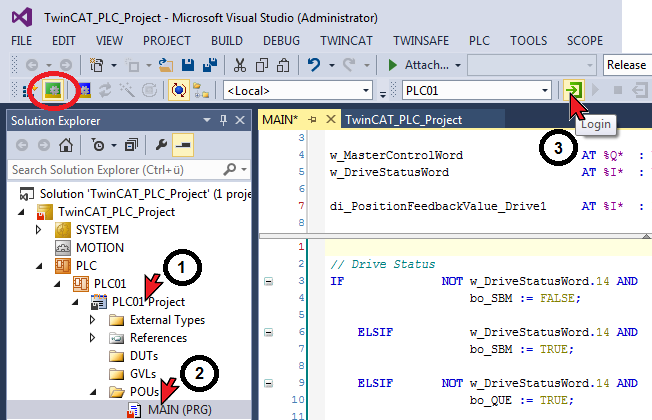
Log-in: transfer PLC program to the control unit
Start PLC
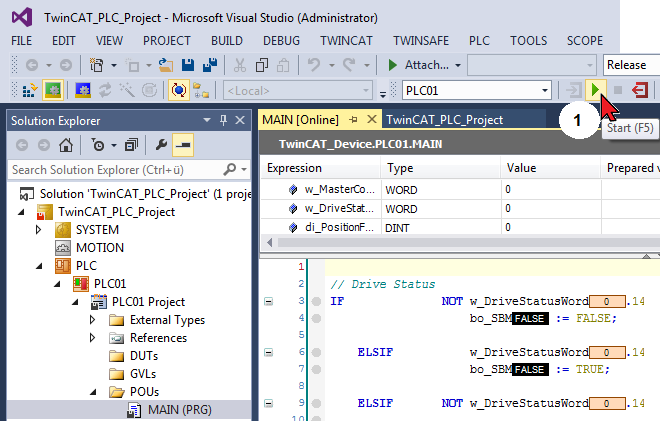
Function test: online values are displayed and updated